How to Set Up an Expiration Reminder for Store Credit
The Expiration Reminder setting allows you to automatically notify customers before their store credit expires. This helps customers stay informed about upcoming expiration dates and gives them an opportunity to use their available credit before it expires.
Before You Start
To issue rewards through Loyup, make sure Store Credit is enabled in your customer account settings.
Set Up the Expiration Reminder
To configure the expiration reminder:
- From your Shopify admin, open Loyup.
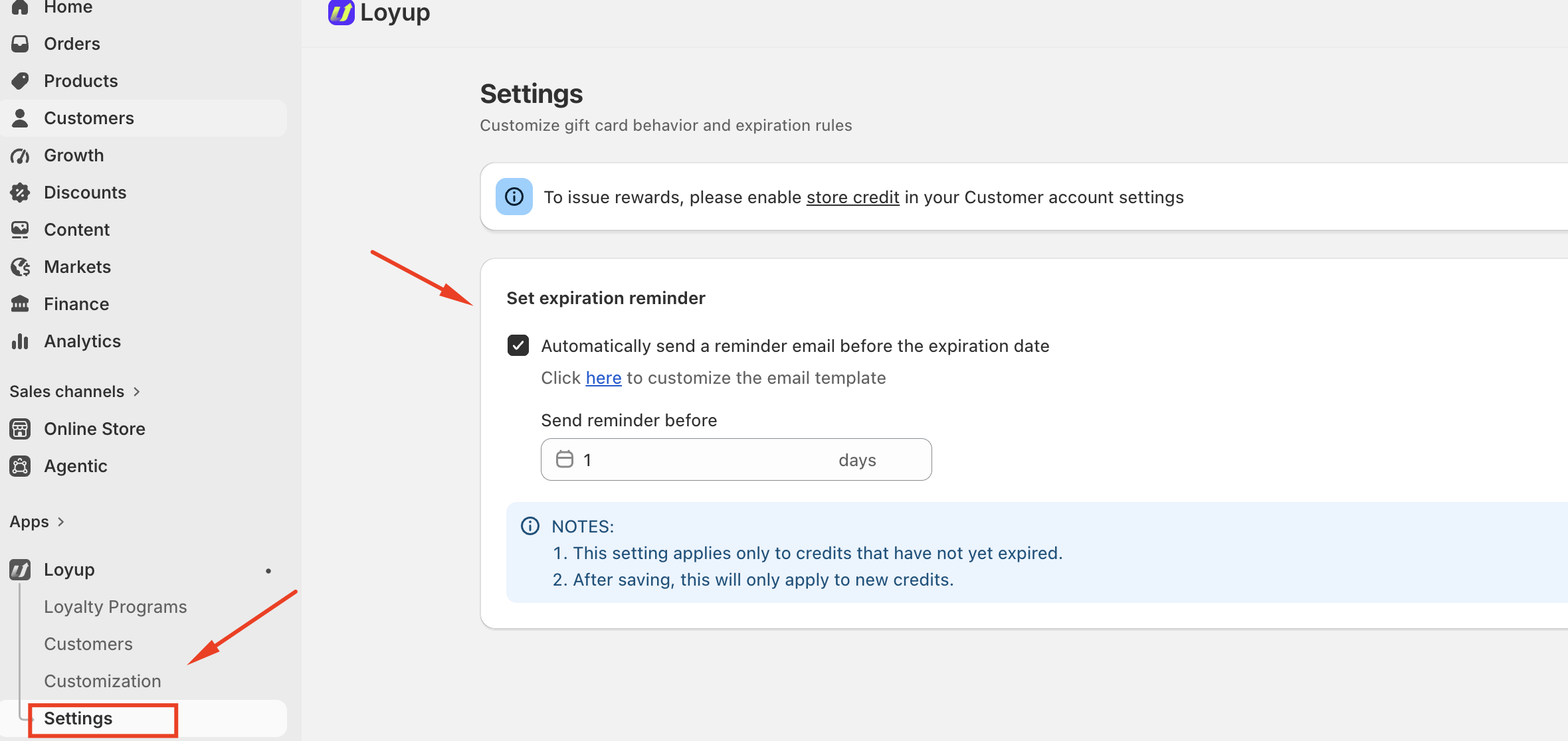
- Select Settings.
- Find the Set expiration reminder section.
From here, you can enable automatic reminder emails and choose when they should be sent.
1. Enable the Expiration Reminder
Under Set expiration reminder, enable:
Automatically send a reminder email before the expiration date
When this option is enabled, Loyup automatically sends customers a reminder email before their store credit expires.
This allows customers to be notified in advance rather than having their credit expire without a reminder.
2. Set When the Reminder Is Sent
Use the Send reminder before field to specify how many days before expiration the reminder email should be sent.
For example, if you enter 1 day, Loyup will send the reminder email one day before the customer's store credit expires.
You can adjust the number of days according to how much advance notice you want to provide to customers.
If you have any questions or concerns, feel free to contact us at [email protected].