How to Set Up the Birthday Reward Program
The Birthday program allows you to reward customers with store credit on their birthday. This is a simple way to create a personalized experience, encourage customers to return to your store, and build stronger customer relationships.
Before You Start
To issue rewards through the Birthday program, make sure Store Credit is enabled in your customer account settings.
Set Up a Birthday Reward
To configure the Birthday reward:
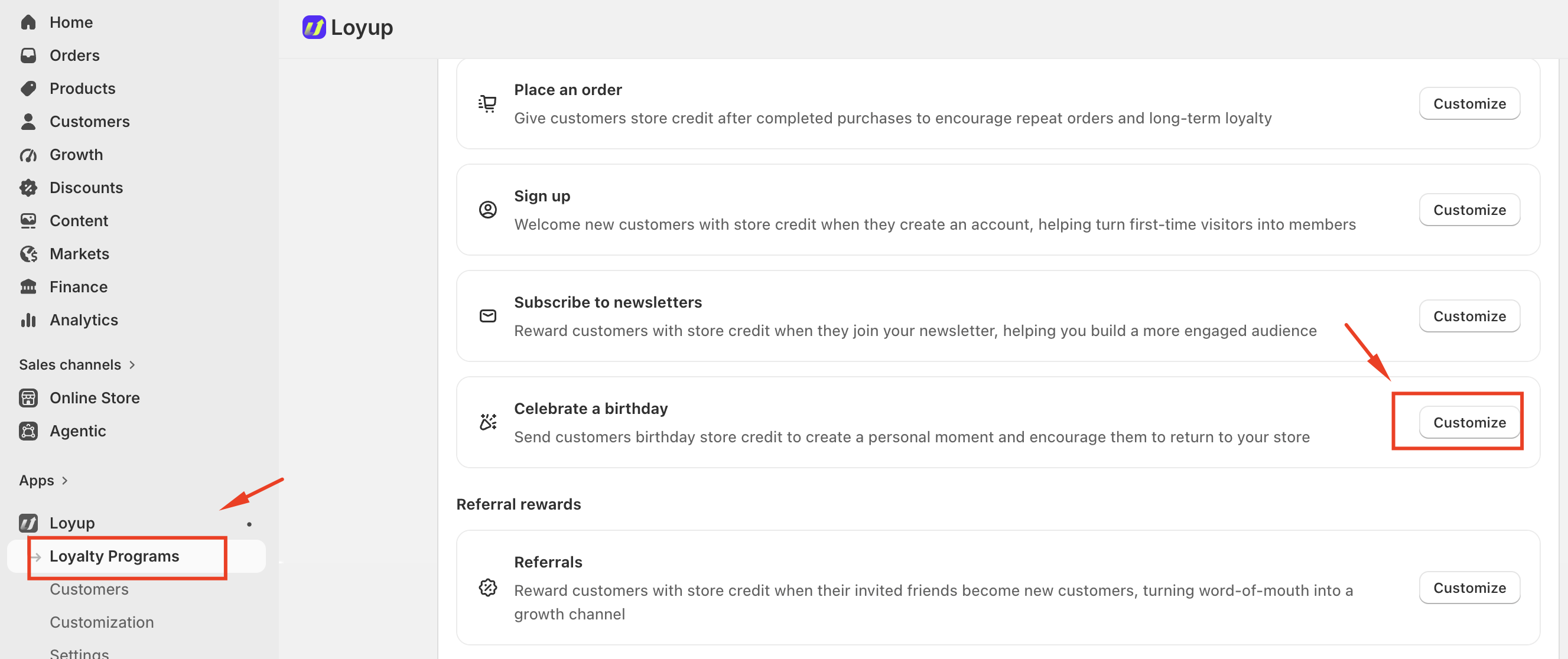
- From your Shopify admin, go to Loyup Apps.
- Select Loyalty Programs.
- Under Loyalty Programs, find Celebrate a birthday.
- Click Customize.
You’ll see the Birthday settings page, where you can configure the reward details.
1. Set the Reward Value
In the Reward value field, enter the amount of store credit you want to give customers on their birthday.
For example, if you enter $5, eligible customers will receive $5 USD in store credit for their birthday.
2. Set Store Credit Expiration
You can choose how long the sign-up reward remains available to customers.
- Never expires — The store credit remains available without an expiration date.
- Expires after a set period — The store credit expires after the period you specify.
Choose the option that best fits your loyalty program.
3. Set Customer Eligibility
The Customer eligibility (days before birthday) setting determines how far in advance customers need to enter their birthday information to be eligible for the reward.
For example, if you set this value to 30 days, customers must enter their birthday at least 30 days before their birthday to receive the reward.
This setting helps ensure that customers provide their birthday information sufficiently in advance for the reward to be issued.
4. Add a Transaction Note
You can optionally add a Transaction note to describe the reward.
For example:
Birthday reward
This note can help you identify why the store credit was issued when reviewing customer transactions.
Activate the Birthday Program
After configuring the Birthday reward, use the Status section on the right side of the page to activate the program.
To activate the widget:
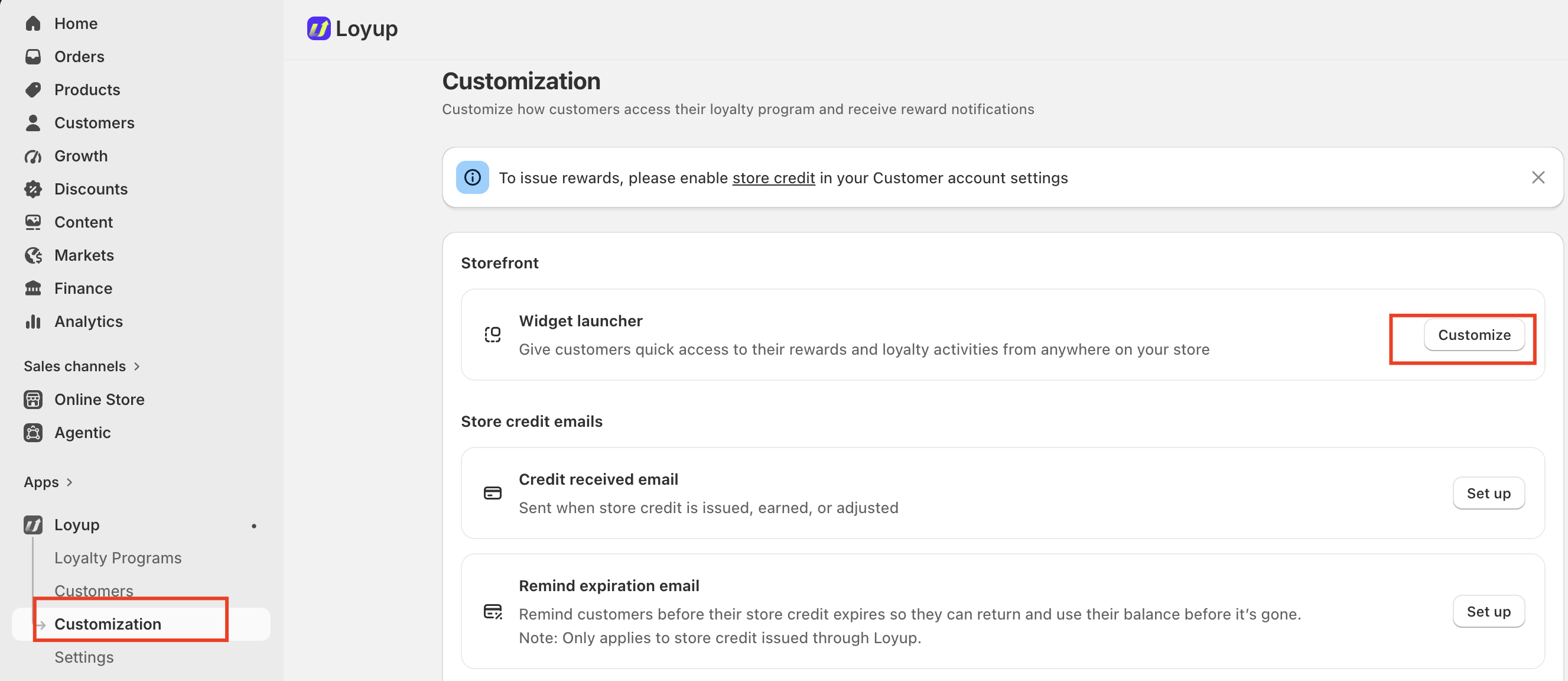
- Open Loyup.
- Select Customization.
- Under Storefront, find Widget launcher.
- Click Customize.
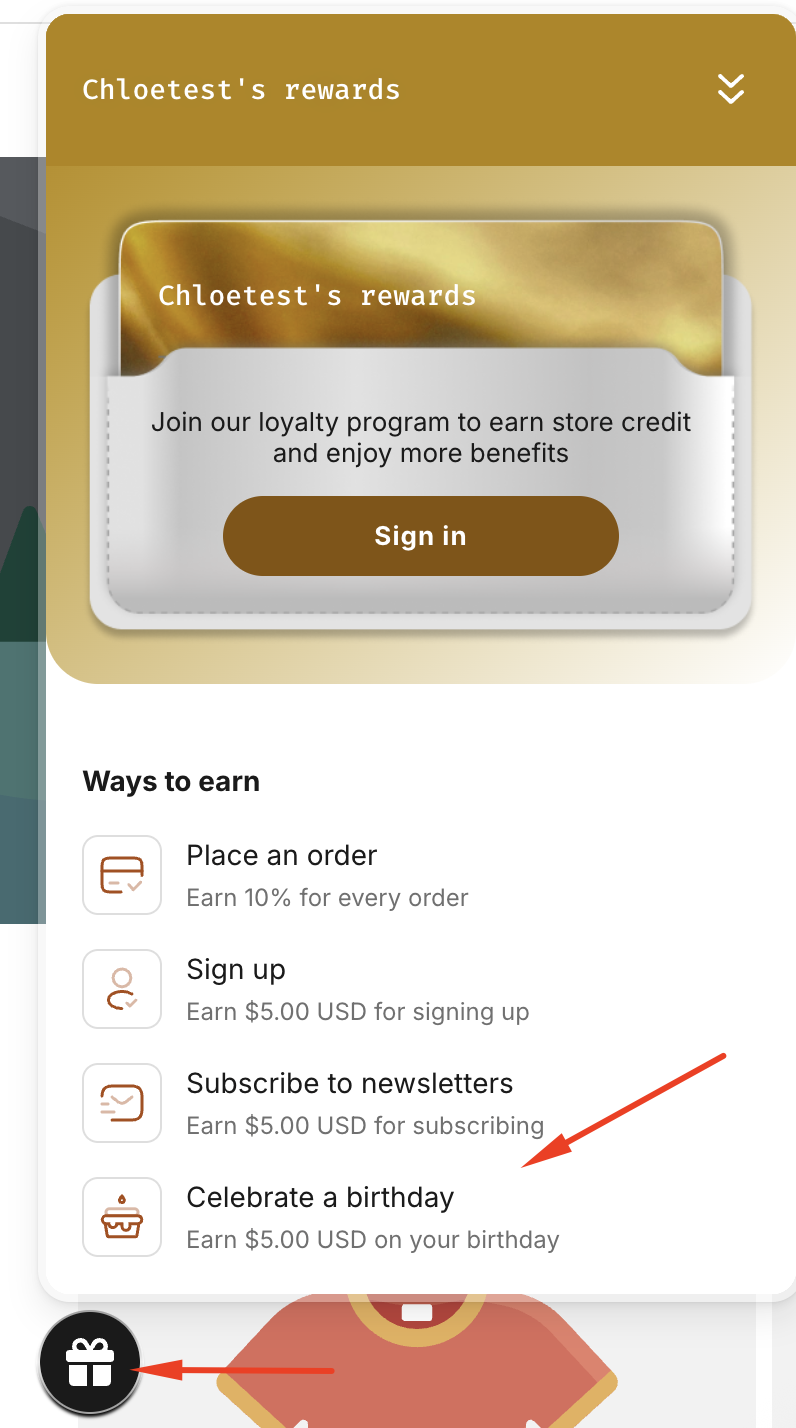
- Activate the widget to display it on your storefront.
Once activated, the widget will appear on your store and give customers quick access to your loyalty program. Customers can use the widget to register for the loyalty program, view their rewards, and access available loyalty activities.
Note: Make sure the widget is activated if you want customers to easily discover and register for your loyalty program from your storefront.
Important Notes
- Store Credit must be enabled in your customer account settings before rewards can be issued.
- Customers must provide their birthday information within the eligibility period to receive the birthday reward.
- The Customer eligibility setting determines how many days before a customer's birthday they must enter their birthday information.
- The birthday reward is limited to once per customer.
- You can choose whether the store credit expires or never expires.
- You can add a transaction note to make it easier to identify the purpose of the issued store credit.
- The Birthday program must be set to Activated for eligible customers to receive the reward.
If you have any questions or concerns, feel free to contact us at [email protected].